Get Follow Me Buttons MrsBHolland http://twitter.com/

Tuesday, March 23, 2010

Creating a Two Page Layout

 Edit on April 7, 2010 "(kit by Chelle's Creations, http://www.scrapmatters.com/)

I am excited! This layout was selected as a Gallery Stand Out the week of April 1, 2010 on Chelle's Creations blog! Check it out here! Click to visit Chelle's blog."


Ready to create a 24" x 12" layout? These are the measurements of a two page layout (with 12x12 pages).
1. Open a new blank file in the size of Width- 24, Height- 12.
2. Click here to read the rest of the directions courtesy of Britt-ish Designs and Scrap Matters blog!

Tip- don't forget to use your grid. Select View > Grid (in Photoshop Elements most versions)!

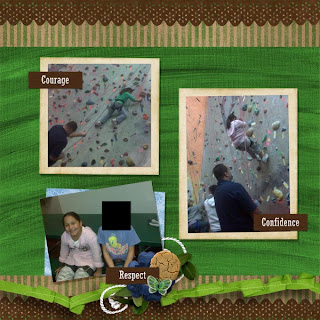
Good luck creating your two page layout. I prefer two pages at a time to ensure my book will flow from left to right. Create balance and dont' forget to use elements in groups of threes! See my layout above? There are three clusters of similar shapes and colors-the blue flowers. Draw a line from one of the clusters, to the next, and then the next. These three create the shape of a triangle which draws the eye around the entire layout to create unity.

Do you already create your files as two pagers? Thanks again to the great resources of Scrap Matters blog. Why re-type the directions, when I could not have said it any better than they can?!

Tuesday, March 16, 2010

Coming Soon!

My two page layout Girl Scout themed! Directions for creating a two page layout and saving it in PSE (a cool video from Britt-ish Designs from Scrap Matters.) Plus, a freebie adorable Easter card for you here-----> click me!
What are you doing for Easter Sunday (if you celebrate!) Any plans for Spring Break? I am planning an Easter egg hunt and ham dinner after church Easter Sunday. I think I will make one of these cards for each of my guests. Maybe turn it into a place card somehow. Do you know of any adorable Easter themed kits?

Monday, March 15, 2010

Style

Good morning! Today I am having just another Manic Monday. I woke up an hour earlier than usualy, just like everyone else who set their clocks ahead one hour. I feel jipped, ripped off and robbed. My time is my time right? Wrong! Uncle Sam can take a portion of my salary, which I donate 40 hours of my time to weekly. And now, another hour? Give it back! (Insert giggles here.)

Okay, seriously, I was up late last night digital scrapbooking once the kids were in bed. I was in a groove! I am starting to develop my own style for digital scrapbooking. I realized a lot of important factors in digital design, that I was also doing with paper crafting pages....but did not know how to apply digitally...until recently. I feel like the digital is less of a challenge these days. And this is when it becomes more enjoyable! I hope to figure out my own style soon. What is your style? Do you have one or a way to describe it?

Here are two pages I made last night....the wedding layout was created with Remember Me from Designs by Sarah Bennett. The Halloween layout was created with Sister Sue, by the same designer. You can find all of Sarah Bennett's great products in the shop at Scrap Matters. Click here to go to the shop for Designs by Sarah Bennett.

Thursday, March 11, 2010

Our Honeymoon Story

Slowly but surely, I am creating a book about my honeymoon. Why don't I start with the wedding book or album first? Simply because my digital scrapbooking skills get better by the page! I am saving the best for last...as far a photos go. Our honeymoon had the most interesting things happen so I do have fun looking back and feeling those memories once again while they are still fairly fresh in my heart and in my mind.

I have the first page completed. The second and third pages are just about completed but not ready for release. My writing skills are so not up to par...they are SO valley girl and not the tone I want to set for my book. It is a challenge for me to journal with care and journaling has never been my favorite thing to do. I wish I could greatly improve my writing skills.

Anyways, check this out............

Some papers from Ever After kit by Jenn Barrette, paint stroke from Britt-ish igirl, momitude sticker by Miss Mint, title from Basic Grey, golden girls forever in love papers, Storyteller template by Tiffany TIllamn, and Ali's Hand font, and Inked Edges by Happy Scrap Girl. (PM me if you have specific questions, I will be glad to help.)

I want to remember everything from our honeymoon since we have two kids from my hubby's first marriage that we spend most of our time with. Those 5 days alone together were a nice treat! No work, no kids, just relaxation....with a few bumps in the road! Stay Tuned.

Courage

My dad (stepfather) Jim used to be an offshore oil rigman off the coast of Santa Barbara. When I was growing up, I alway imagined his long boat ride to and from the big aliens made of strong steel which stood far away from the shore in the middle of the ocean. Some day I hope to get a tour of one of those rigs. It would be like discovering a different world!

Created with Country Warmth kit by Stacy's Back Door Designs. Other elements from Stacy's kits include sand from Southern Christmas and word art from Stand Tall.


Sunday, March 7, 2010

Spunky Monkey AND Guest Creative Team Member AND Freebie

This two page layout was created with two different templates from Lined Up Templates kit, Spunky Monkey kit, splatter from Spunky Monkey add-on freebie. The alpha, the orange tag with hanging ribbon with button and the metal flower dotting the letter 'I' from the Sister Sue kit. All kits by Designs by Sarah Bennett. Font Ck Ali's Hand.

For the month of March, I have been invited as a guest on the creative team for Designs by Sarah Bennett! I am honored and excited to a part of the creative team, even if it is temporary. To top things off, her newest kit is Spunky Monkey. Most people know that I love monkeys. Plus, I am a bit spunky. I am a fan of Sarah Bennett's work and  the names she selects for her kits. The quality of the elements and papers is amazing! The kits from her collection consist of colors and elements that can be used with either boys or girls (except the Tough Boy kit). Kits that can be used for more than one topic and subject are great because you get so much use out of them.


I have posted a few more layouts below which were created by other creative team members.
Grab your own kit by clicking right here!

There is a freebie add-on for the Spunky Monkey that you can find by clicking right here.
This is the freebie below. I used the glitter splatter on my page above. Grab one for yourself!

Friday, March 5, 2010

Blushing Girl


I created this layout, with a picture of myself, this evening. Even though I am tired, I stayed up to finish my layout. Today I discovered Vinnie Pearce. Her kits are available on Two Peas In a Bucket. After a few weeks of being stuck in a rut, I am inspired again! I have spent a lot of time recently on another site, other than Two Peas. It began to feel as though there was not a lot of artistic creativity but more of people scraplifting and developing very similar styles to one another.

I am glad I found Vinnie Pearce's work today after seeing her Creative Team Call.
http://vinniepearce.typepad.com/ Visit Vinnie's blog for more call information.

SO, dying to know what I used for this kit? I used Beach Flower Elements and White Foundations II by Vinnie Pearce. The inked edges are by Happy Scrap Girl.


(Note I do not create for or promote for 2ps or Vinnie Pearce. I just love these products and my new layout!)

In addition to creating the fab layout, I worked some magic on the photo. Here is my before photo, taken in 1975....


My sister Lisa and me in 70's clothing and colors! Do you alter your photos before you digitally scrap them? I am very pleased with the way the photo and the layout turned out!
Toot my own horn...toot toot!! Haha I hope you have a wonderful weekend!
Oh, and apply for the creative team call if you are digi. Get digi with it already.

Friday, February 26, 2010

Photoshop Skillz of my Family

I have given my three household members one free Photoshop Elements lesson back in the day.

First, guess who created this picture?


The family shopping in full winter gear, for a new Volkswagen, was created by Gerry. He must be dreaming of buying a car for his family in Antartica. Or some place snowy yet closer to home like Colorado?! Let's go...I will put my snow boots and hat on so we can drive to Colorado in the snow to get one!

The next picture has an adorable story which is very close to my heart. One day last month, my family went to visit the Alvarez family on Super Bowl Sunday. The guys watched the game (with the MILs), the kids were all playing in other parts of the house, while Marianne and I digitally scrapbooked in our own separate room. We would hang out a bit in the living room to socialize and catch some of the Super Bowl commercials (it had nothing to with sneaking a peek at Reggie Bush or Hank Baskett, honest). On one occasion, after leaving our laptops on and open for business, we went into the other room for some drinks.

I was working on a fab layout of me and my daughters. When Marianne and I returned, someone had blackened one tooth from each subject in the photo I had up in Photoshop!!! There were like 10 people in the house...nobody fessed up to it BUT we all laughed hysterically! Check it out...


Who did it? If you would like to know, leave me a comment....the layout I made with this pic, by the way, is finished. Scroll down about two weeks back in my previous posts to see it.
Now I need some time to make a page of the ghetto girls without dental insurance!
Have a great weekend.

Wednesday, February 24, 2010

Guess What I Love?

I Love Rock and Roll! This new kit from Connie Prince (Scrap Matters shop) rocks! Tonight I was not loving the idea of sitting at my computer for a long period of time. Scrapping was something I did not want to do BUT when I browsed this new kit I have had for a few days, I could not resist! This is now my favorite layout that I have ever made! With each layout I create, I feel as though I am improving. Just a quick post tonight! What is your favorite layout? Leave me a link in my comments so I can take a look! You DO have a gallery someplace don't you?!

I grunged up the photo and even made the monogram with Anika's name on it (with the A in the center on the lower left hand side of the layout). I created a monogram for Jasmine also. The words could be a little more clear but I am learning. This was my first monogram ever made! Do you create monograms?
(I do not represent, advertise or promote Scrap Matters...I just love them!)

Sunday, February 21, 2010

Mardi Gras Challenge for Gotta Crop Digital

My friends and I all agree that challenges help us complete pages. Without a goal, I could fart around, having fun mind you, in Photoshop Elements without creating any tangible layouts.  Marianne's latest challenge for the Gotta Crop Digital group on Facebook is Mardi Gras. We must use the colors yellow, purple and green on our page(s). I am glad that I recently bought this kit Alice by Britt-ish Designs (ScrapMatters.com) because I had all the colors needed (and more). This page below was made with a template by WM [squared], font Cry Kitty and Random Titles by Jen Wilson Designs. Keeping this entry today short and sweet. My kids, my hubby and me are off to sell Girl Scout cookies at the grocery store soon!

I added the other challenge layouts here for your viewing pleasure. Unfortunately, I do not have credits for these pages.

Happy Halloween is the first layout of Carina made by Carina! Great job! Her mom taught her to paper scrap when she was very young and I am not surprised she did such a great job! I love Carina!
The additional layout above were made by Michelle and Marianne.

Friday, February 19, 2010

Warm Weather

I was able to spend three sunny, California days outdoors this past weekend gardening and playing with my dogs. I was inspired to create a beach layout with a photo taken on the day of my wedding last June. I found an adorable kit, Ohana by Britt-ish Designs. I used the drop shadows kit (which I cannot live without) by Jennifer Barrette. I feel that the quality of my work improves so much with each layout I create. No wonder I am still awake at 1:00 am on a work night just finishing this layout!

Are you ready for permanent warmer weather like I am?!

The kit can be found at Scrap Matters

Saturday, February 13, 2010

Happy Valentine's Day To My Two Princesses

I treated myself to Get Real Drop Shadows kit by Jennifer Barrette for Valentine's Day. I really love myself, so why not?! These drop shadow effects saved me a lot of time, plus gave my confidence to use a lot of embellishments. Typically, I would not use this many because I would put the same exact shadow on everything...which was not realistic enough for my eye. I hope you enjoy my princesses. If you would like to save time on your drop shadows, visit ScrapMatters.com to grab the kit! It was only a couple of dollars.

Here are instructions to set them up. (I use PSE 8 and these worked just fine!)

Wednesday, February 10, 2010

Everyday Essentials

This new kit by Stacy's Back Door Designs is perfect for those 365 days projects you may be working on or ANY digital layout! The neutral colors provide a great back drop for colorful photos. This layout makes my two girl scouts really stand out!
Currently, the kit is 20% off at the link below. Also, you receive a free mega kit with any purchase from Digiridoo Scraps. The free kit is listed below as well. Check out the word art and that queen of hearts. So, you will pay JUST $2.40 for both kits!!!
GRAB yours HERE!!!!!!


Monday, February 8, 2010

Live Your Dreams

This layout was made from my heart using  A Story of Friendship kit by Sahlin Studios, scrapmatters.com
This photo was the first one I ever had taken with my daughters (my hubby's from his first marriage. We raise them and have custody. I love them as my own! Aren't we just a little adorable?!)

Gotta Crop Digital Challenge

My friends and I started a Facebook group called Gotta Crop Digital. For the next two weeks, we have a challenge I'm hosting. What are you passionate about? Create a page using at least one item from Betsy Tuma's free Glitterazi- Cupid layout from Two Peas In A Bucket.
Grab your free Glitterazi- Cupid digital kit from 2ps!!!

Template by Audrey Neal, Design House Digital. Scroll down to my next post to view a whole different layout, same template. One template, two ways!

Memories of Grandparents

Don't you love seeing old photos? Look at the photo of my young grandmother in the center of this layout. She has a huge white bow in her hair. How sweet! This was created with a template by Audrey Neal and kit from Design House Digital. This was created for my Lifetime Story Challenge with Faith Sisters.

The journaling was an email my mother sent to me. I asked her some questions about her parents (my grandparents pictured in the layout). My plan is to make a separate page of each grandparent and enlarge the photos while adding personal information. Dates of birth and death, birthplace and other details I would like to preserve for future generations of my family. Have you scrapbooked your family tree?

Colors of Love

Okay, you know what to do with this color wheel don't you? These are the easiest color wheels I have found. The chart shows where on the color wheel to find the different color schemes.  I hope you find these useful!

Monochromatic Colors. A monochromatic color scheme uses one color, but 3 different shades of that color. Example: Light, Medium, and Dark Blue.


Triadic Colors. A triadic color combination comes from using 3 colors that are equally spaced (3 spaces) apart on the color wheel. This could be purple, green and orange or it could be blue, yellow and red etc.


Analogous Colors. You get an analogous grouping when you use three colors that are all next to each other on the color wheel. For example, blue, teal and green or green, yellow-green and yellow etc. This example was done using blue, green and teal-all colors next to each other on the color wheel.

(All information and color wheel content gathered from http://www.scrapmatters.com/.)

Design House Digital Dollar Day$

Check out the items at DHD

Each day for the month of February (2010), Design House Digital is practically giving away digital items. Okay, they are $1 a piece and these are not taxed. Just a buck. What a deal. These are four good examples below. The grid papers are becoming a current trend.  I hope you pick up something for yourself this month before the prices go back to normal. They have a great forum (message boards) as well. Check them out...stop by and chat. 


(I do not work for or promote DHD for any reason, other than I just want to).

Thursday, February 4, 2010

Got Templates? What about a little November Rain?

I love templates as much as last fall's fashion loved purple. What am I talking about? I am unsure if I am making sense since I have been a little tired fighting of this season's cold, flu and allergies. However, I do know that as bad as I felt the day I received these templates and beautiful purple papers, I instantly perked up with happiness.

Last fall, purple was finally back in style. I have a many picture or two of me and friends wearing purple clothes, makeup etc....I can use them with these papers. After I make a few more, I will post them....for now here are the ones I was able to brew up when I was hopped up on Dayquil and Vick's Vaporub. I was not too creative feeling but allow me to share anyways!

I may never make a layout without a template again, that's for sure. These were super easy especially for many photos! You can flip them 90 degrees or 180 degrees in Photo Shop Elements for a different layout option.


The kits are just $2 each. Follow the links below for a closer look.

Template from the kit Heaps of Templates by Stacy's Back Door Designs, font Arial. Orange flower from Southern Christmas kit, Style frame from Totally Chic kit, and the rest of the layout created with Story Time kit all by Stacy's Back Door Designs

A New and Inspirational Kit Chuck Full of Goodies and Suprises!

     This Story Time kit is a collaboration from Stacy's Back Door Designs, designs by Sarah Bennett and Lil Digi Bits by Jude. Stacy is on the Scrap Matters creative team AND designs her own kits. Each time I get a new kit released by Stacy, I fall more in love with her items. The colors of this kit go with anything and everything!

     I plan to create one layout with each new kit, however, I made three with this one the first night I got it! Okay, I will share two of them with you! The tape and hand drawn black border on the layout below are two of my favorite items of the kit along with the metal clip and green rubberbands!!! There are some cute heart shaped lollipops too.


This is a fun, unique kit that has a special place in my digital collection.  This one is very unique as it has helped me grow to love hand drawn elements to use in my layouts. (Like the title below and that black lined border I mentioned.) 


Pick Up a Kit or Get a Closer Look Here ((Click me))